Ordering WordPress search results by post type

WordPress has a great built-in search function, but when you search in your WordPress website search results are listed chronologically by default. It may be more useful for your users to view search results ordered by “most likely”, “most popular”, “most frequent use of the phrase” or even alphabetically.
In this article we demonstrate how to organise search results by post types. For this we will use a WordPress plugin called “Relevanssi” a plugin is for indexing the post data in the WordPress database.
Install the Plugin
- Go to the plugin section in your WordPress installation and install the Relevanssi plugin.
- After installation activate the plugin.

Plugin Configuration
After activation, in the WordPress setting section you will see a new plugin menu item entitled “Relevanssi”.
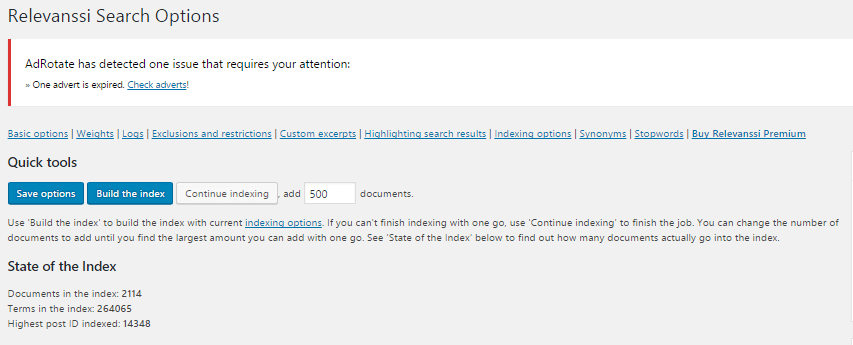
In the basic options section you can configure the search limit and search type “And/ Or” settings. We recommend you to keep the default settings.

In this section you can set the indexing weight of each element.

Now select the post types that you wish to index for search results.

Here you should only select the post types which you would like returned in your search results.
Next select the minimum word count of each of the search result. Leave the other settings as their defaults.

Finally, save your indexing settings.
Organising search results using a PHP function in the WordPress search template.
This function retrieves all result and reorders them according to post type. The “$hits” array will be the final result of the search organising function.
Here we used basic template for the search page.
https://gist.github.com/SagaraZD/b259af0343fe169d13c1023cce12b4e9
For more details about the search templates please check out the WordPress Codex.
And that should be it. Beautifully organised search results which are easier to read.
Related Articles
You may also be interested in these similar articles.